EXACT HARDWARE. A USEFUL ANSWER.
Can the CalDigit Mini Dock charge my laptop?
No. Neither CalDigit Thunderbolt 3 Mini Dock charges your laptop. The dual-HDMI and dual-DisplayPort versions are bus-powered: they take power from the computer to run the dock. Keep a separate laptop charger connected when you need charging.
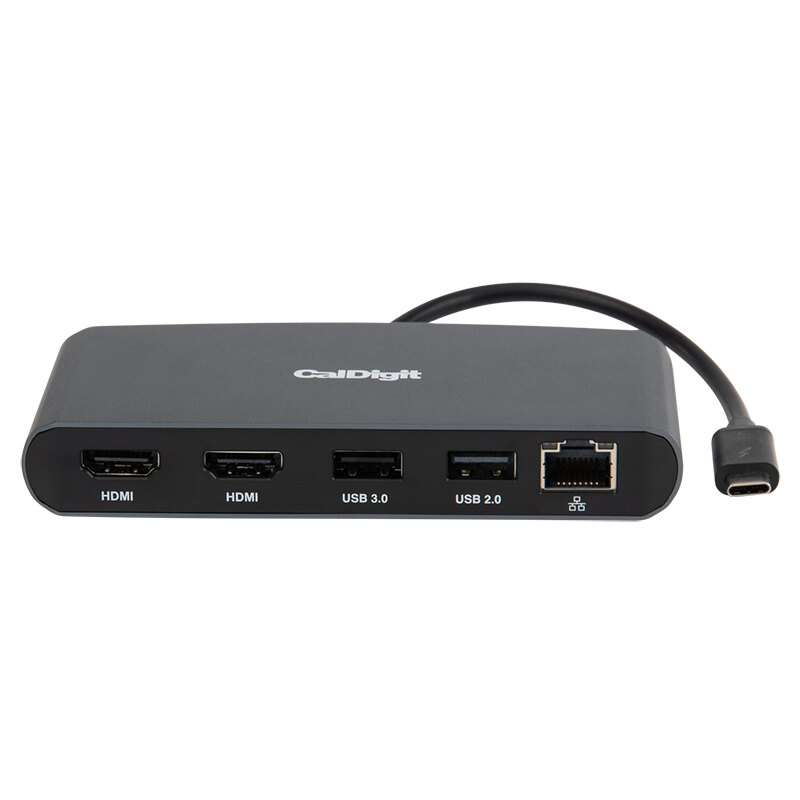
CalDigit’s dock comparison lists no host charging for either Mini Dock. This answer is specific to the Thunderbolt 3 Mini Dock, not every CalDigit dock or USB-C hub.
Which Mini Dock matches my monitors?
| Exact model | Built-in display outputs | Laptop charging |
|---|---|---|
| Mini Dock Dual HDMI Black, TBT3-MiniDock-HDMI, part 500377 | Two HDMI 2.0 sockets | None |
| Mini Dock Dual DisplayPort Black, part 500373 | Two DisplayPort 1.2 sockets | None |
For HDMI monitors, the HDMI model provides the direct output type. For DisplayPort monitors, start with the DisplayPort model. Supply display cables rated for your intended mode. CalDigit requires active conversion when taking the DisplayPort model to HDMI; do not assume that an arbitrary cable works in both directions. See CalDigit’s Mini Dock specifications and adapter guidance.
Does the USB-C-shaped plug work with any laptop?
No. The Mini Dock is a Thunderbolt 3 device. Confirm that the computer supports this Thunderbolt device; the connector shape by itself is insufficient. A plain USB-C host should not be treated as a match. The dock has a tethered host cable and no charging pass-through input.
Two output sockets also do not guarantee two extended desktops. A MacBook Air M1 (2020) still has a one-native-external-display limit. Check the exact host, OS and display mode before buying either Mini Dock.
What should I buy if I want one cable to charge the laptop too?
Shortlist a powered dock whose host charging and video path suit your computer. The CalDigit TS4, for example, provides up to 98W of host charging from its included supply. That is a maximum, not a promise that every laptop charges at 98W or can run every workload without its own charger. Its display outputs also differ from the Mini HDMI, so recheck the monitor cables and adapters.
CalDigit TS4 specifications distinguish its host power from the power-supply rating.
These links retain only the model preference. Enter your actual charging requirement and computer in the finder; a Mini Dock cannot pass a requirement for dock-supplied laptop charging.
Buying a Mini Dock for a separately powered laptop?
Confirm the exact output variant, seller, current price and stock. These links are for the cleared product identities; no open-box price is presented as a new-product price.
As an Amazon Associate I earn from qualifying purchases.
Manufacturer guidance reviewed October 11, 2026. No hands-on charging or display test is claimed.