THE DOCK COLLECTION
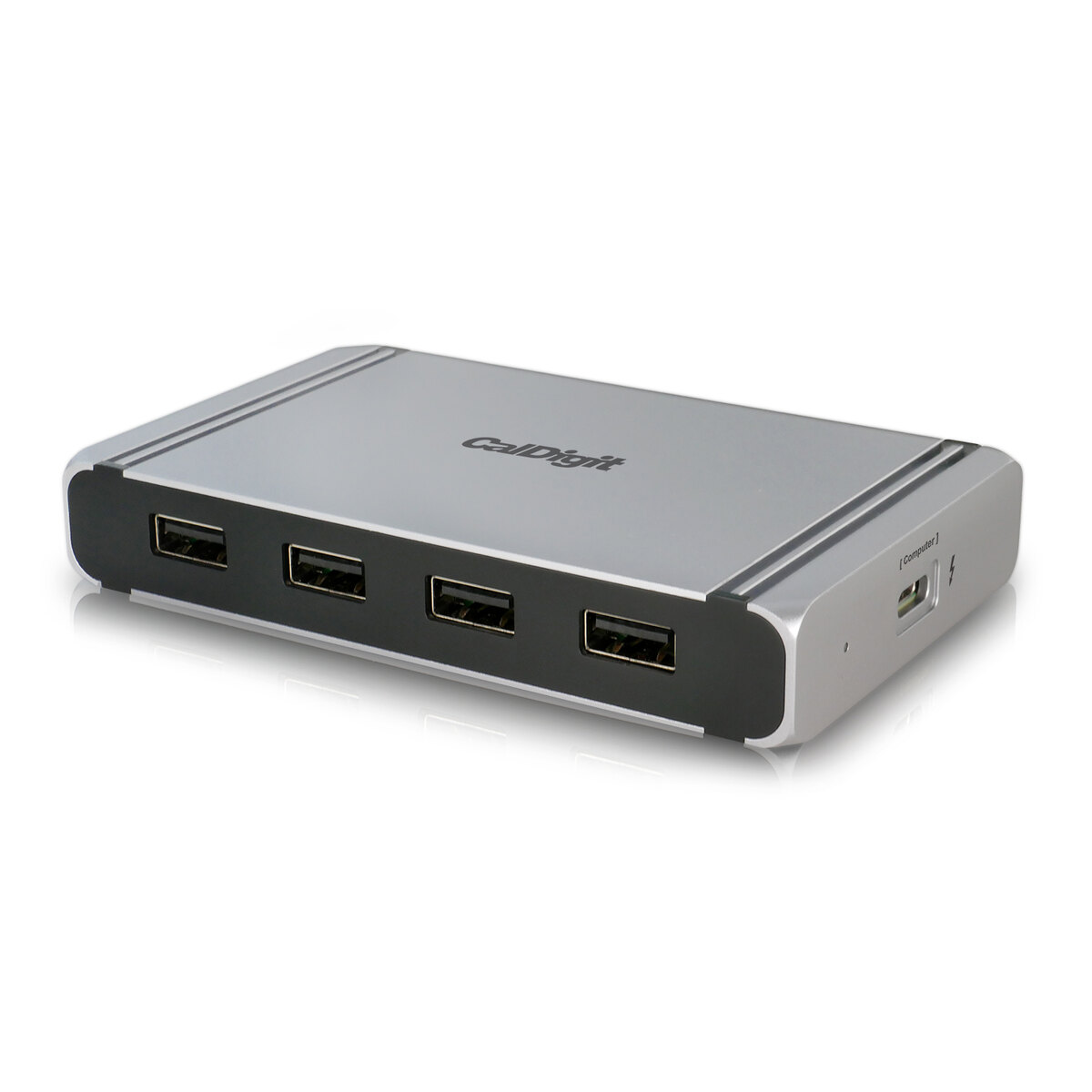
CalDigit Element Hub · Thunderbolt 4
US hub with 0.8m Thunderbolt 4 cable and 150W power supply
Native Thunderbolt video, with up to 60W of host charging. Your computer still determines how many screens can run.
- Maximum host power
- 60W
- Downstream Thunderbolt
- 3ports
As an Amazon Associate I earn from qualifying purchases. Amazon links are labeled; manufacturer and source links remain direct. Commissions do not affect compatibility or ranking.
Check price on Amazon$179.99 reference-store price · checked 2026-10-07. This is not an Amazon checkout quote. Confirm exact model, seller, price and stock at the retailer.
Check my computer & displaysVIDEO NEEDS THE RIGHT PATH
Count the connections
that carry a picture.
- DisplayPort sockets
- 0
- HDMI sockets
- 0
- Video-capable downstream Thunderbolt ports
- 3
- Ordinary USB-C data-only ports
- 0
- USB-A ports
- 4
- Ethernet
- No built-in socket
Each display or Thunderbolt peripheral consumes its chosen output. A data-only USB-C socket cannot drive a monitor. Shared bandwidth and actual charging depend on the host and connected devices.
Start with what’s included.
- Thunderbolt 4 Element Hub
- 150W supply and AC cord
- 0.8m Thunderbolt 4 host cable
Display cables and video adapters are separate. The checker counts them as owned only when you confirm the required quantity and rating; otherwise their cost remains unknown.
150W is the power-supply rating; host delivery is at most 60W. These are different numbers.
EXACT HOSTS, QUALIFIED ANSWERS
Your computer sets the screen limit.
| Our checked host | Native display budget | Remaining conditions |
|---|---|---|
| MacBook Air M1 (2020) | One external native display total | macOS 11 or later; cable, power and exact timing checks still apply |
| MacBook Air 13-inch M4 (2025) | Two external native displays total | macOS 15 or later; the finder covers up to two 4K60 routes |
| Dell XPS 13 9315 laptop | Up to two checked native display routes | Windows 11 with suitable Thunderbolt/graphics drivers, and the required display cables |
Displays connected elsewhere use the same native display budget. No DisplayLink workaround is assumed. Other computer models and higher-resolution/high-refresh modes need separate evidence.
Know these limits.
- 60W host delivery is not 150W. Laptops needing more than 60W may charge slowly or need their own charger under load; host must accept USB-C PD
- Early Alpine Ridge Thunderbolt 3 Windows hosts limit Thunderbolt peripherals to one downstream port.
- Each HDMI or DisplayPort screen uses a downstream Thunderbolt port and a video adapter/cable. No built-in HDMI, DisplayPort or Ethernet socket.
Protected streaming needs a verified monitor/cable/adapter/service chain. A native dock alone does not guarantee HDCP playback.
Original evidence.
New catalogue records checked 2026-10-07; individual source dates remain in the finder. Manufacturer research, not our hands-on test.
Specifications, compatibility and price sources
- CalDigit Element Hub · Thunderbolt 4 official specifications
- tb4 product · CalDigit
- tb4 store · CalDigit
- tb4 manual · CalDigit
- tb4 support · CalDigit
- tb4 windows · CalDigit
- e5 product · CalDigit
- e5 store · CalDigit
- e5 manual · CalDigit
- e5 support · CalDigit
- e5 data paths · CalDigit
- e5 m5 update · CalDigit
- mac display support · CalDigit
- CalDigit Element Hub · Thunderbolt 4 reference-store price / model source